Laptop CareGuide
Laptop Overheating, Radiation and Safety: What the Evidence Says
Between 2009 and 2011 this site ran several posts on laptop health scares: radiation, cancer, batteries catching fire, screen glare. Here is a calmer look at each claim, what has actually been measured, and the handful of habits that make a real difference.
Quick answer
Laptops run hot by design and the components tolerate it; the real risks are skin burns from long contact with a hot underside, throttled performance from blocked vents, and damage to a battery that is punctured, swollen or fake. Radio and electrical emissions from a laptop are non-ionising and have not been linked to cancer in the research to date.
On this page
Why laptops get hot
Everything a laptop does turns electricity into heat, and a thin chassis has very little metal to soak it up. The processor and graphics chip are designed to run at up to about 95 to 100 C and to slow themselves down (throttle) before they reach a damaging temperature. That is why a laptop that feels alarmingly warm rarely breaks; it just gets slow. The underside can reach 45 to 50 C under load on many models, which is warm enough to be uncomfortable and, over an hour or more of direct contact, warm enough to damage skin.
Toasted skin syndrome is real; laptop cancer is not
Dermatologists have documented a mottled discolouration called erythema ab igne, informally toasted skin syndrome, in people who rested a hot laptop directly on bare thighs for hours a day over months. It is a low-grade heat injury, the same one historically seen in people who sat close to stoves, and it usually fades when the heat exposure stops. The separate claim that laptops cause cancer through radiation has no support: a laptop emits radio waves (Wi-Fi and Bluetooth) at powers far below a phone held to the head, plus low-frequency electromagnetic fields from its power supply. Both are non-ionising, meaning they cannot break chemical bonds in DNA the way X-rays or UV can, and large reviews of the evidence have not found a cancer link. A small number of studies have looked at heat and Wi-Fi exposure in relation to sperm quality; heat on the lap is the plausible part of that, which is one more reason to use a desk or a tray.
Why some laptop batteries have caught fire
The battery-fire stories that made the news in the late 2000s traced back to manufacturing defects in specific cell batches, which is why they ended in large recalls rather than a general warning. Lithium-ion cells fail dangerously when an internal short develops, which happens through physical damage (a drop or a puncture), swelling from age or heat, or poor-quality counterfeit cells. Researchers at Cambridge and elsewhere showed how tiny metal fibres growing inside a cell can bridge the separator and start a runaway reaction; that work informed better separators and charging controls in later designs. Modern laptop batteries include temperature sensors and protection circuits, and fires are rare. The warning signs that matter are a trackpad or case that has started to bulge, a battery that gets hot when idle, or a charger that smells of hot plastic.
| Symptom | Likely cause | What to do |
|---|---|---|
| Fan runs constantly, laptop slow | Blocked vents or dusty heatsink | Use on a hard surface; blow out vents; have the heatsink cleaned |
| Underside too hot to touch | Sustained load on a thin chassis | Use a stand or tray; close background apps; check for a runaway process |
| Case bulging, trackpad lifting | Swollen battery | Stop using it, do not charge, have the battery replaced |
| Charger very hot or smells | Faulty or counterfeit adapter | Replace with an original or certified adapter |
| Random shutdowns under load | Thermal protection tripping | Clean cooling; check thermal paste on older machines |
Keep it cool: what actually works
- Use the laptop on a hard, flat surface. Beds, sofas and laps block the intake, and this alone accounts for most overheating complaints.
- Clean the vents every few months with compressed air, and have the heatsink and fan cleaned inside every two to three years.
- Check what is running. A browser tab with a runaway script or a stuck update can pin the processor at full load for hours.
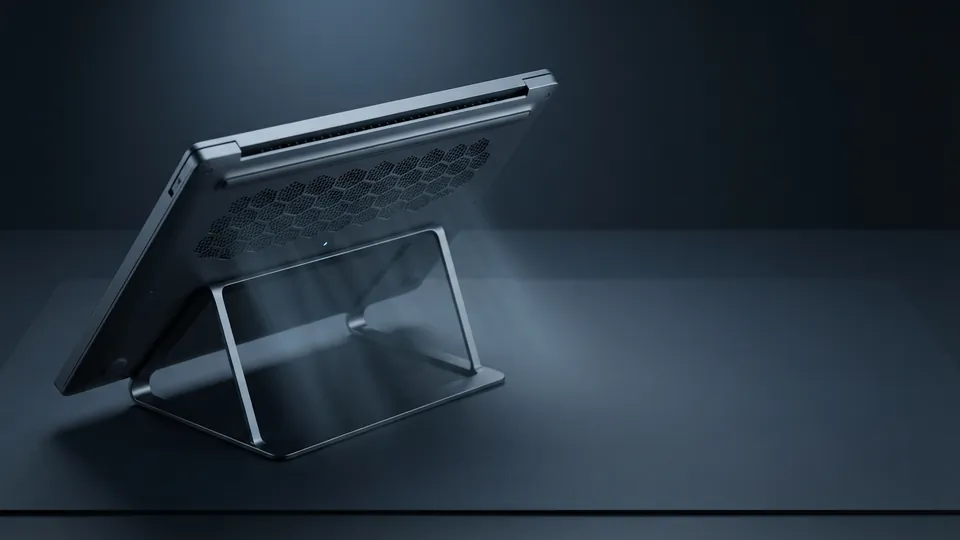
- A simple stand that tilts the back edge up an inch improves airflow and posture at the same time. Active cooling pads help a little; a stand helps more.
- Keep it out of direct sun and out of a hot car. Batteries age fastest when they are both hot and fully charged.
- Replace a swollen battery promptly, with a part from the manufacturer or a reputable supplier, and recycle the old one at a collection point rather than in household waste.
Screen glare and eye strain
Glare is not a safety issue but it is the commonest daily annoyance. A matte screen scatters reflections; a glossy one mirrors the window behind you. The fix is positioning: sit at right angles to windows, tilt the screen so it does not reflect ceiling lights, and set brightness to roughly match the room rather than to maximum. Modern displays flicker far less than older backlights, and a night mode that warms the colour after dark makes evening use more comfortable for many people.
More maintenance advice is in the Laptop Care section. Dust is the most common cause of a laptop running hot, so start with the screen, keyboard and vent cleaning steps. Heat also ages batteries, which the guide to making a battery last longer covers. Running AI models locally is one of the heaviest sustained loads a laptop sees, and the specs for running AI models on a laptop explain what to expect.
Common questions
How hot is too hot for a laptop?
Processors are designed for up to about 95 to 100 C and throttle before damage. Sustained temperatures in the 90s under load are normal for thin laptops; the fix for comfort is airflow, not alarm.
Is it bad to use a laptop on your lap?
It blocks the intake vents and puts a hot surface on skin. Short sessions are fine; for longer use put a tray, book or stand underneath.
Does a laptop give off radiation?
Yes, non-ionising radio waves and low-frequency fields, at levels well below a mobile phone. This kind of radiation has not been linked to cancer in the research to date.
Can a laptop battery explode?
Failures are rare and nearly always involve physical damage, swelling or counterfeit cells. A bulging case is the signal to stop using it and replace the battery.
Do cooling pads work?
A little. A stand that raises the rear edge does most of the same job by letting the intake breathe, and cleaning the vents does more than either.
Sources
- DermNet: Erythema ab igne: toasted skin syndrome from repeated heat exposure including laptops.
- World Health Organization: Radiation, electromagnetic fields: non-ionising electromagnetic fields and health evidence.
- U.S. CPSC: Sony Recalls Notebook Computer Batteries Due to Previous Fires: battery fires traced to specific cell batches and recalls.
- Nature Materials: 7Li MRI of Li batteries reveals location of microstructural lithium: cambridge research imaging lithium growth that causes cell shorts.
Also consulted: Published dermatology case reports on erythema ab igne associated with laptop use (2010 onward); World Health Organization and national radiation protection agencies on non-ionising radiation; University of Cambridge materials research on lithium-ion cell failure mechanisms; Manufacturer thermal specifications for mobile processors.