Quick answer
16 GB of RAM is enough for most people: office work, study, heavy browsing, photo editing and general programming. Step up to 32 GB if you use software whose maker recommends it. Android Studio lists 16 GB as the minimum with its emulator and 32 GB as recommended, and Blender recommends 32 GB. Check your own memory use before paying for more.
| Minimum | 8 GB for light use |
|---|---|
| Comfortable | 16 GB for study, office work, coding and photo editing |
| Step up to 32 GB | Emulators, 3D and long video projects, local AI models, several virtual machines |
| Reviewed | November 2026 |
Is 16 GB of RAM enough for a laptop?
Yes for most people, as of November 2026. 16 GB covers a full browser, office apps, video calls, photo editing and everyday programming at once, and it meets Microsoft's 16 GB requirement for Copilot+ PCs. It becomes the limit, not the comfort level, for a few specific kinds of work where the software maker recommends 32 GB.
The useful question is not whether 16 GB is a lot, but whether the tools you run ask for more. Vendors publish these figures. The table below uses them, so you can match your own software against a number instead of a guess. If you are still deciding between the two lower tiers, start with whether 8 GB of RAM is enough.
Which workloads need more than 16 GB?
Three groups reach past 16 GB: mobile app development with an emulator, 3D and video production, and running AI models locally. Google's Android Studio page lists 16 GB as the minimum for Studio with the emulator and 32 GB as recommended. The Blender Foundation lists 8 GB minimum and 32 GB recommended. LM Studio's documentation recommends at least 16 GB for local models.
| Workload | 16 GB verdict | When to step up |
|---|---|---|
| Office work, study, browsing | Enough | No need |
| Photo editing | Enough | Very large files or many layers open at once |
| General programming (web, scripts) | Enough | When you add containers or virtual machines |
| Android development with the emulator | The stated minimum | Google recommends 32 GB |
| 3D modelling and rendering in Blender | Above the 8 GB minimum | Blender recommends 32 GB |
| Video editing | Enough for short projects | Long timelines, high resolutions, effects-heavy work |
| Local AI models | The recommended starting point | Larger models; the model has to fit in memory with everything else |
| Several virtual machines | Tight | Each machine reserves its own memory while it runs |
| Gaming | Enough for most games | Check the listed requirements of the specific game |
Read the row for the heaviest thing you do, not the most common. A laptop that is fine for 95 percent of the week and stalls during the one build or render you are graded or paid on is the wrong laptop.
Is 16 GB enough for programming and large code builds?
It is enough for most programming and is the published minimum once an emulator is involved. Google's Android Studio requirements list 8 GB for Studio alone, 16 GB for Studio and the emulator together, and 32 GB as the recommended amount, on Windows, Mac and Linux alike. That makes 16 GB workable and 32 GB the comfortable choice for app development.
The pattern holds beyond Android. An editor and a browser are light. Memory goes to the things you run beside them: emulators, containers, local databases and virtual machines, each holding its share while it is open. Engineering and computing students should check their course software list; the guide to laptops for engineering students covers what programs typically ask for.
Is 16 GB enough for video editing and 3D work?
For short projects, yes; for regular production work, plan on 32 GB. The Blender Foundation's requirements page lists 8 GB of RAM as the minimum and 32 GB as recommended, with a graphics card recommendation of 8 GB of video memory alongside it. Creative software needs room for the project, the preview and the source files at once.
Memory is also only one part of a creative laptop. A graphics chip, a fast drive and cooling that holds up under a long export matter as much. The gaming laptops guide explains the graphics side, since the same hardware does both jobs, and laptop heat and safety covers what sustained load does to a thin machine.
Is 16 GB enough for running AI models locally?
16 GB is the usual recommended starting point, and it limits you to smaller models. LM Studio's system requirements say 16 GB or more is recommended on a Mac and at least 16 GB on Windows, and that 8 GB Macs should stick to smaller models and modest context sizes. Its documentation states plainly that these models can consume a lot of RAM.
Built-in assistants are a separate case. Microsoft's Copilot+ PC requirements set 16 GB as the amount for its on-device features, so a 16 GB laptop is the entry point there, not the upgrade. If local models are the reason you are buying, the guide to laptops for local AI goes through memory, graphics memory and chips in detail, and there is a how-to on running an AI writing assistant offline.
How do you check whether you need more than 16 GB?
Watch memory while doing your heaviest real task. On a Mac, open Activity Monitor and read the Memory Pressure graph: Apple says green means RAM is being used efficiently, yellow means the Mac might eventually need more, and red means it needs more. On Windows, open Task Manager and see what is using memory.
Step 1: Start the heavy job
Open the project, build, render or model you actually work with, plus the browser tabs and apps you normally leave running.
Step 2: Mac: check pressure
Open Activity Monitor, select Memory and watch Memory Pressure at the bottom of the window while the job runs.
Step 3: Windows: check Task Manager
Press Ctrl + Shift + Esc and look at memory use on the Processes tab while the job runs.
Step 4: Judge the pattern
Green pressure, or memory use with headroom during your heaviest job, means 16 GB is enough. Sustained yellow or red, or memory pinned at the top with visible stalls, means more RAM will help.
Should you buy 16 GB or 32 GB?
Buy 16 GB unless you can name the software that needs more. If you can name it, and its maker recommends 32 GB, buy 32 GB, especially where memory is soldered and cannot be added later. Paying for 32 GB to browse and write gives you nothing you will feel. Use the laptop comparison method to balance memory against screen, weight and storage, and see the rest of the laptop buying guide for picks by use.
Related reading
Common questions
Is 16 GB of RAM enough for students?
Yes for most degrees. Writing, research, slides, spreadsheets and video lectures sit well inside 16 GB. Courses that use emulators, 3D software or data tools may recommend more, so check the program's published requirements before buying.
Is 16 GB of RAM enough for gaming?
For most games, yes. Memory needs vary by title, so read the recommended requirements on the game's store page. The graphics chip and its own video memory usually decide game performance before system RAM does.
Is 16 GB enough for a Copilot+ PC?
Yes. Microsoft's Copilot+ PC hardware requirements list 16 GB of DDR5 or LPDDR5 memory, along with a qualifying processor and a 256 GB drive. 16 GB is the requirement itself, so every Copilot+ PC has at least that much.
Is 32 GB of RAM overkill?
For browsing, office work and study, yes: the extra memory sits unused. It is the recommended amount for Android Studio and for Blender according to their makers, and it gives local AI models and virtual machines room to run.
Is it better to get 16 GB now and upgrade later?
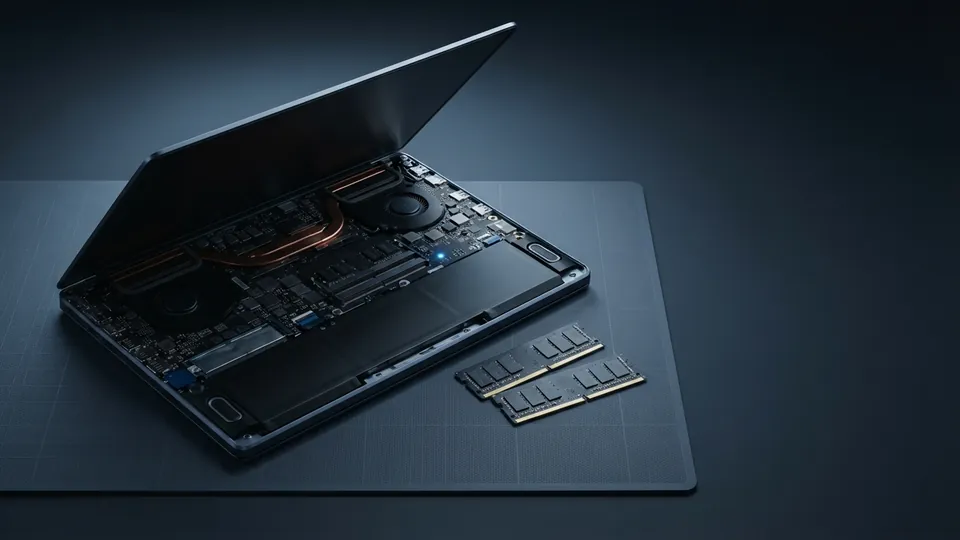
Only if the laptop has a free or replaceable memory slot. Many thin models have soldered memory that cannot be changed. Check the manufacturer's specifications first. If memory is fixed and your software recommends 32 GB, buy it at the start.
Sources
- Android Developers: Install Android Studio
RAM: 8 GB for Studio, 16 GB for Studio and Emulator (minimum), 32 GB recommended.
- Blender Foundation: Requirements
RAM: 8 GB minimum, 32 GB recommended; 8 GB video memory recommended.
- LM Studio Docs: System requirements
16 GB or more of RAM recommended for local models; 8 GB Macs limited to smaller models.
- Apple Support: Check if your Mac needs more RAM in Activity Monitor
Memory pressure colors and how to check for upgradeable memory.
In this section
Marcus Hale, Editor. Sets up, fixes and chooses laptops for other people, then writes down what worked. About the editor. About this site. Reviewed November 2026.