Quick answer
The best laptop for engineering students is a Windows 11 machine with an Intel or AMD processor, 16 GB of RAM and a 500 GB or larger SSD. Mechanical, civil and electrical majors who run 3D CAD should step up to 32 GB and dedicated NVIDIA or AMD graphics. A Mac works for some majors only. Your own college's requirement page overrides any general list.
| Minimum | Windows 11, Intel or AMD processor, 16 GB RAM, 500 GB SSD, integrated graphics |
|---|---|
| Comfortable | 32 GB RAM, 1 TB SSD, dedicated NVIDIA or AMD graphics |
| Skip | Chromebooks, ARM-based Windows laptops, spinning hard drives |
| Check first | Your major's line on the college requirement page |
| Reviewed | November 2026 |
What laptop do engineering students need?
Engineering students need a Windows 11 laptop with an Intel or AMD processor, 16 GB of RAM and a 500 GB or larger SSD as the floor, as of November 2026. Majors that model in 3D CAD or run large simulations are better served by 32 GB and dedicated graphics. That is the pattern across the college requirement pages cited below, and it sits above the general advice in our laptop buying guide.
What specs do engineering colleges ask for?
Colleges agree closely. Oregon State University's College of Engineering asks for 16 GB of RAM, a 500 GB SSD and integrated graphics as its minimum, and recommends 32 GB or more, a 1 TB SSD and a discrete NVIDIA or AMD graphics chip. Its page says the specification assumes one laptop should last four years of coursework.
The University of Rhode Island's College of Engineering lists the same split: 16 GB minimum and 32 GB recommended, a 512 GB SSD minimum and 1 TB recommended, integrated graphics minimum and a dedicated chip recommended, plus Wi-Fi 6. The UC Davis College of Engineering recommends 16 GB of RAM, a 512 GB SSD and a processor with at least 4 cores and 8 threads. On the vendor side, the SOLIDWORKS system requirements page lists 16 GB of RAM with 32 GB recommended and says SSD drives are recommended.
| Component | Minimum | Comfortable | Why |
|---|---|---|---|
| Operating system | Windows 11 | Windows 11 | Several CAD and simulation packages are Windows only |
| Processor | Intel Core i5 class or AMD Ryzen 5 class, 4 cores | Current Intel Core Ultra 7 or AMD Ryzen 7 | Simulation and compiling use every core you have |
| RAM | 16 GB | 32 GB | Large assemblies, simulations and virtual machines fill 16 GB |
| Storage | 500 GB SSD | 1 TB SSD | Engineering suites and project files are large |
| Graphics | Integrated Intel or AMD | Dedicated NVIDIA or AMD chip | 3D CAD viewports run faster on dedicated video memory |
| Wireless and camera | Wi-Fi 5, webcam, microphone | Wi-Fi 6 or 6E, webcam, microphone | Campus networks, online classes and advising |
Should engineering students buy Windows or a Mac?
Buy Windows unless your major's page says a Mac is fine. The SOLIDWORKS requirements page lists Windows 11 64-bit for the design software itself, and macOS only for its eDrawings viewer. Oregon State marks civil and construction, electrical and computer, and mechanical, industrial and manufacturing engineering as Windows only, while chemical, computer science and nuclear students may use either.
A Mac owner has two routes, and both have limits. One is running Windows in a virtual machine: Oregon State warns that M-series Macs may have difficulty with Windows virtual machines, and SOLIDWORKS states that Macs running Windows through Boot Camp are not supported. The other is the college's remote desktop service or its computer labs, which depend on your home internet speed and on lab capacity. UC Davis adds that virtualizing Windows needs extra RAM and disk space.
Do engineering students need a dedicated graphics card?
You need dedicated graphics if your major uses 3D CAD; otherwise integrated graphics meets the stated minimum. The University of Rhode Island tells mechanical engineering and other CAD-intensive students to strongly consider a Windows laptop with a dedicated graphics chip, naming NVIDIA RTX 4050 or higher, and 32 GB of RAM for large assemblies and simulations.
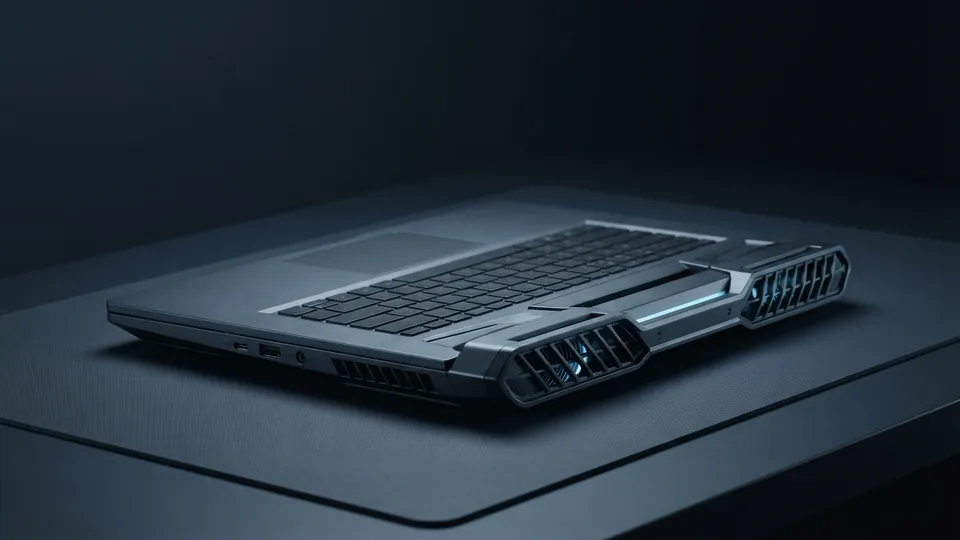
UC Davis explains why: a discrete card has its own video memory, which leaves system RAM free and makes CAD programs run faster. SOLIDWORKS goes further and publishes a list of certified cards and drivers, so check a laptop's graphics chip against that list if SOLIDWORKS is on your course plan. Laptops with these chips are usually sold as workstations or as gaming laptops.
How much RAM and storage is enough for engineering?
Sixteen gigabytes of RAM and about 500 GB of SSD storage are enough for general engineering coursework. Oregon State recommends 32 GB or more if you expect to run virtual machines or large models and simulations, and 1 TB if you keep several virtual machines or games on the drive. Check whether memory is soldered, because many laptops cannot be upgraded later.
Our pages on whether 16 GB of RAM is enough and whether 8 GB is enough cover the everyday side. For engineering, none of the three colleges cited here names 8 GB as its figure.
How do you trade weight and battery against power?
Decide how often the heavy work happens away from a desk. A laptop with dedicated graphics is thicker, heavier and shorter on battery than a thin one with integrated graphics, so it suits students who model daily. Oregon State suggests a 13 to 15 inch screen for mobility with a larger external monitor in your room.
If your major only meets CAD in one or two courses, a lighter laptop plus the campus labs is a fair trade. See laptop size and weight for carrying comfort and laptop battery care for keeping a hard-worked battery healthy over four years.
What should engineering students skip?
- Chromebooks. UC Davis calls them inadequate for primary engineering use because they cannot run software such as MATLAB and SOLIDWORKS.
- ARM-based Windows laptops. Oregon State does not recommend them because some course software is not available for Windows on ARM, and it advises checking the processor on Copilot+ PCs.
- Spinning hard drives. UC Davis strongly recommends an SSD, and so does SOLIDWORKS.
- A top graphics chip for a major that never opens 3D CAD. Integrated graphics meets the minimum at Oregon State and Rhode Island.
- A second copy of Microsoft Office. Oregon State and UC Davis both provide Office 365 to students.
How do you check your own program's requirement page?
Step 1: Find the page
Search your university's name with the words college of engineering laptop requirements, and open the result on the university's own site.
Step 2: Find your major
Look for a per-major line. Oregon State and UC Davis both list operating system rules major by major.
Step 3: Note the hard rules
Write down the operating system, RAM, storage and graphics lines, and whether a laptop is mandatory in class.
Step 4: Check the date
Confirm the page names the coming academic year. Oregon State's page is marked for 2026 to 2027.
Step 5: Ask about fallbacks
Find out whether the college offers a remote desktop service or labs with the software installed.
Related reading

Common questions
Can engineering students use a MacBook?
Sometimes. Oregon State allows Windows or Mac for chemical, computer science and nuclear engineering, but marks civil, electrical and mechanical programs as Windows only. Mac users may need a Windows virtual machine or the college's remote desktop for some courses, and both have limits.
Is 16 GB of RAM enough for engineering students?
Yes for general coursework. Oregon State, the University of Rhode Island and UC Davis all name 16 GB as the minimum or recommended amount. Choose 32 GB if you expect large CAD assemblies, simulations or virtual machines, or if the memory cannot be upgraded later.
Do I need a gaming laptop for engineering?
No, but the hardware overlaps. CAD-heavy majors benefit from a dedicated NVIDIA or AMD graphics chip, which gaming laptops and mobile workstations both carry. If your major does not use 3D CAD, integrated graphics meets the minimum on the college pages cited here.
Can I use a Chromebook for engineering school?
Not as your main computer. UC Davis states that Chromebooks are inadequate for primary engineering use because they cannot run resource-intensive engineering software such as MATLAB and SOLIDWORKS. A Chromebook can still serve for notes and web work beside a lab computer.
Should I buy a Windows laptop with a Snapdragon processor for engineering?
Check your college first. Oregon State's College of Engineering does not recommend ARM-based Windows laptops because some required course software is not available for Windows 11 on ARM. An Intel or AMD processor avoids that compatibility question.
Sources
- Oregon State University College of Engineering: Laptop Recommended Specifications
Minimum and recommended specs for 2026 to 2027, Windows-only majors, ARM and M-series cautions.
- University of Rhode Island College of Engineering: Laptop Recommendations
16 GB and 32 GB tiers, Wi-Fi 6, dedicated graphics advice for CAD-intensive programs.
- UC Davis College of Engineering: Student Computer Recommendations
Per-major operating system advisory, discrete graphics explanation, Chromebook note.
- SOLIDWORKS: System Requirements
Windows 11 64-bit client support, 16 GB RAM with 32 GB recommended, certified graphics cards, Boot Camp not supported.
In this section
| Guide | Type |
|---|---|
| How to Compare Laptops: Reading a Spec Sheet Properly | Article |
| Gaming Laptop Buying Guide: What Actually Matters | Article |
| Laptops With a CD or DVD Drive: What Your Options Are Now | Article |
| Laptop Size and Weight Guide: 13, 14, 15 or 17 Inches? | Article |
| Small Laptops: What Replaced the Netbook and What to Buy Instead | Article |
| Home Wi-Fi Router Buying Guide (and When to Flash Custom Firmware) | Article |
| Laptop Specs for Running AI Models Locally | Article |
| NPU Laptops Explained: What an AI PC Really Does | Article |
| Choosing a Laptop for Writing in the AI Era | Article |
| Is 8 GB of RAM Enough for a Laptop? | Article |
| Is 16 GB of RAM Enough? When You Need More | Article |
| Best Laptop for Engineering Students: What Your Courses Need | Article |
| Best Laptop for Nursing Students: What Programs Really Require | Article |
| Best Laptop for Teachers: Specs for the Classroom and Marking | Article |
| Best Laptop for High School Students: A Parent's Guide to Four Years | Article |
Marcus Hale, Editor. Sets up, fixes and chooses laptops for other people, then writes down what worked. About the editor. About this site. Reviewed November 2026.