Buying GuideGuide
Laptops With a CD or DVD Drive: What Your Options Are Now
If you still have CDs to play, DVDs to watch or software that shipped on a disc, the question of a laptop with a built-in drive comes up quickly and the answer has changed. Almost no new consumer laptops include one, and for most people that is fine.
Quick answer
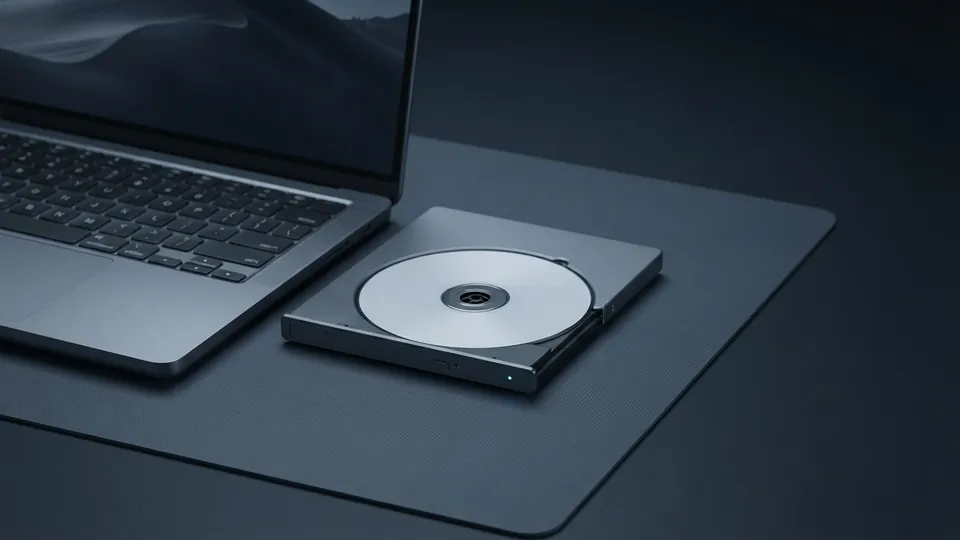
Unless you need a disc drive daily, buy the laptop you actually want and add a bus-powered external USB DVD drive; they are cheap, weigh a few hundred grams and work with any laptop. Built-in drives survive only in a few large business and budget models, and choosing one limits every other spec.
On this page
Why built-in drives disappeared
A DVD mechanism is about 12 mm thick and 130 mm square. Once laptops went below 20 mm and buyers stopped installing software from discs, the space was worth more as battery. Makers dropped drives from thin models around 2012 and from mainstream ones over the following five years. Today a built-in optical drive appears mainly in a few 15.6 and 17.3 inch business laptops built for field engineers and some budget machines aimed at buyers replacing a decade-old laptop like for like.
| Option | Pros | Cons | Best for |
|---|---|---|---|
| New laptop with built-in DVD drive | No extra part to carry | Thick and heavy; limited choice; drive rarely used | Daily disc use in a fixed location |
| External USB DVD drive | Cheap; works with any laptop; only in the bag when needed | One more thing to carry | Nearly everyone |
| External Blu-ray drive | Plays and burns Blu-ray as well as DVD and CD | Costs more; Blu-ray film playback needs paid software | Film collections |
| Rip discs to files | Discs never needed again; searchable library | Takes an afternoon | Music and personal media |
| Used business laptop with drive | Inexpensive; sturdy | Older processor; used battery | Occasional use on a budget |
Choosing an external drive
- Bus-powered (one USB cable, no power adapter) drives are the most convenient. Some older laptops cannot supply enough power on one port; a drive with a Y-cable or a powered USB hub solves it.
- USB-C models plug straight into modern thin laptops; USB-A models need an adapter on those but work everywhere else.
- Any DVD drive reads CDs and DVDs and burns them. Only a Blu-ray drive reads Blu-ray films, and software to play commercial Blu-ray films is usually sold separately.
- Look for a slot or tray that feels solid; the mechanism, not the electronics, is what fails.
Software on discs
Most software that shipped on a disc can now be downloaded from the publisher using the licence key printed on the case, which is faster and gives you the current version. For old games and programs that only exist on the disc, copy the disc to an image file once, using the built-in tools (Windows can mount ISO files directly; on a Mac, Disk Utility creates images), and run it from the image. That protects you from scratches and means the drive stays in a drawer.
Ripping music and films before the discs fail
Pressed CDs last decades but burned discs and some DVDs degrade in ten to twenty years, and drives to read them are getting rarer. Ripping a CD collection with the media player built into the operating system, saved as lossless files, takes about four minutes a disc and preserves it permanently. DVDs and Blu-rays you own can be ripped with widely available free tools for personal use in many countries; check your local law, since the rules on copying protected discs differ. After ripping, the external drive is only needed for the occasional new disc.
This is one of several guides in the Buying Guide section. If an optical drive is not essential, a thinner machine from the small laptops that replaced the netbook may suit you better, and the spec sheet comparison method helps weigh the rest. Copying old discs to a drive is also a good moment to follow a backup plan that survives theft or a dead drive.
Common questions
Do any new laptops have a CD or DVD drive?
A few large business and budget models do. They are thick, heavy and rare; most buyers are better served by an external drive.
Can I play DVDs on a laptop without a drive?
Yes, with an external USB DVD drive and free player software. Windows no longer includes a DVD player, so install one.
Do external DVD drives work with any laptop?
Yes. USB-C or USB-A, any operating system. Bus-powered drives need one port that can supply enough current.
Can I install a DVD drive in a laptop?
Only in older models that had a removable drive bay. Modern laptops have no space for one.
Is Blu-ray worth it?
Only if you have or want a Blu-ray film collection. For music and data, a DVD drive does everything.
Sources
- NIST: Care and Handling of CDs and DVDs (SP 500-252): recordable discs degrade over time and how to store them.
- Microsoft Support: Burn and rip CDs: ripping cds with the built-in media player, including lossless formats.
- Apple Support: Create a disk image using Disk Utility on Mac: copying a disc to an image file on a mac.